Get started with Tarkib
Install Tarkib, add two free keys and make your first card. Installing takes a minute, and the two keys about five minutes more. Tarkib runs inside Anki on a computer and needs Anki 23.10 or newer on Windows, macOS or Linux. The cards you make sync to AnkiDroid and AnkiMobile like any other card.
First, get Anki from apps.ankiweb.net.
Pick Mac, Windows or Linux.
Install Tarkib from AnkiWeb (recommended)
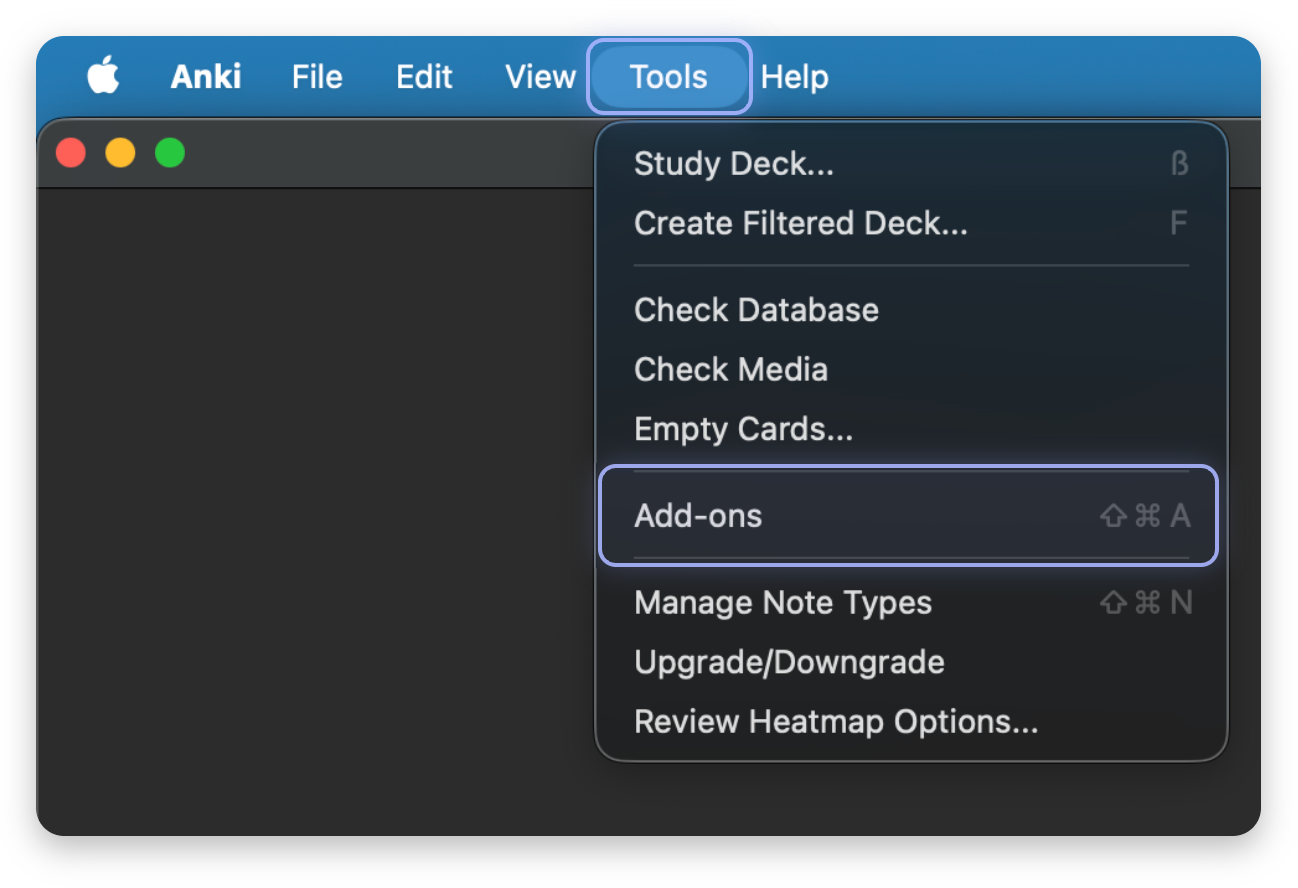
Open Tools, then Add-ons.
On Windows and Linux, Tools is at the top of Anki's window.
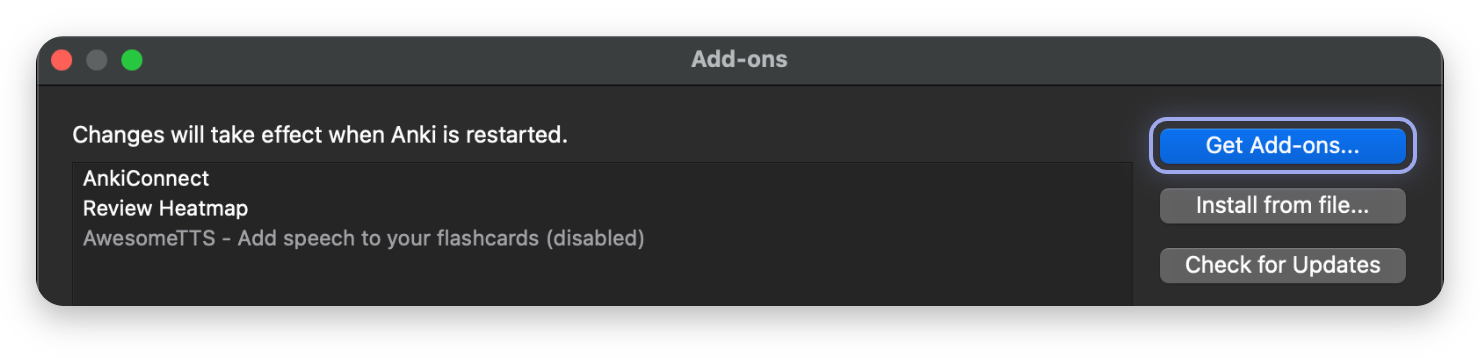
Click Get Add-ons.
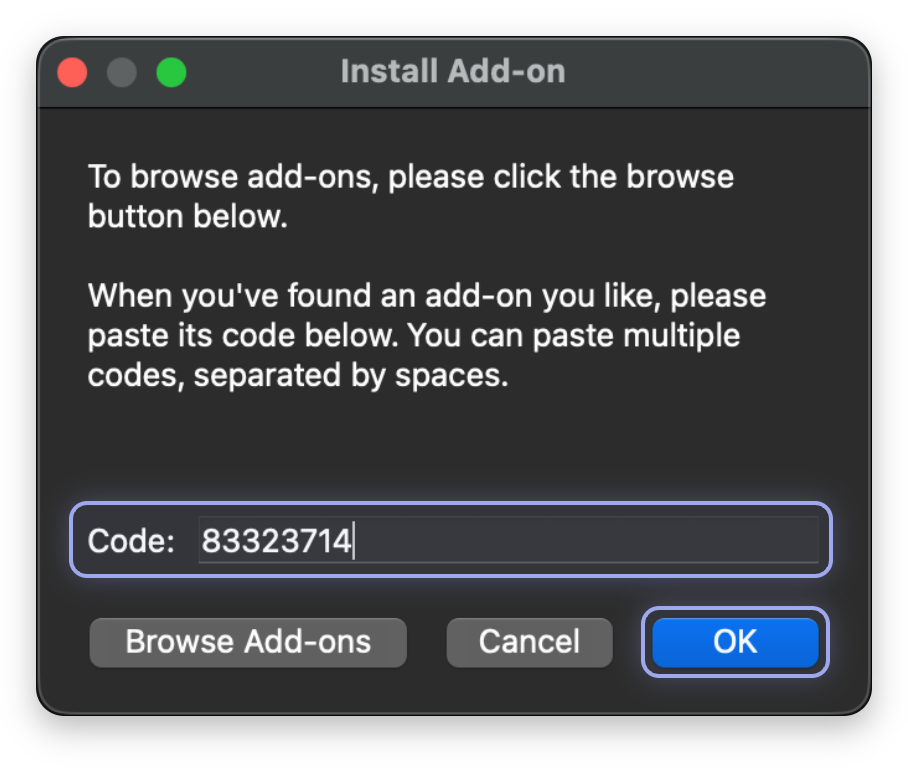
A small box opens where you paste the add-on's code.
Paste the code 83323714 and click OK.
Anki downloads and installs Tarkib from its page on AnkiWeb.
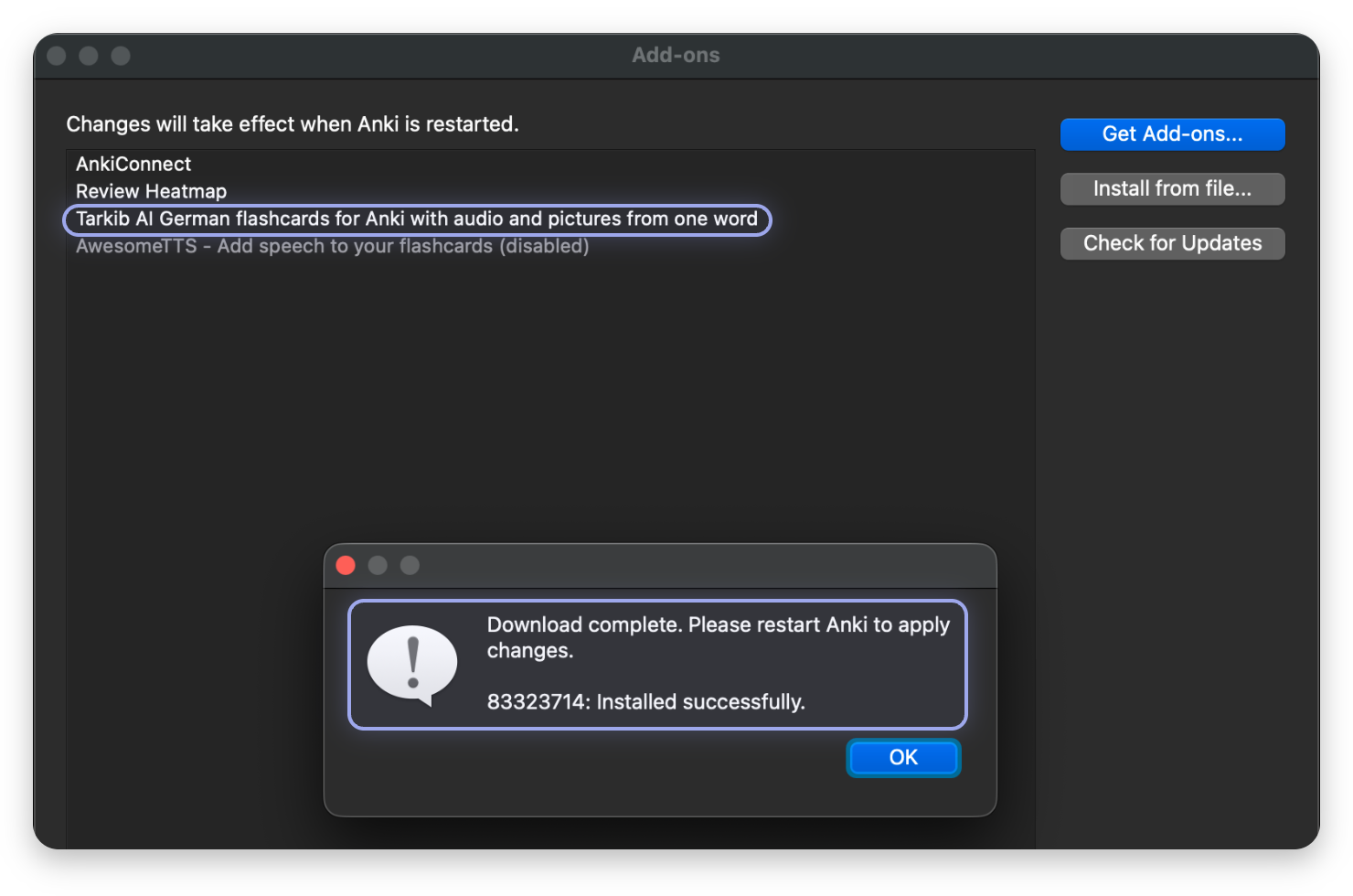
Installed. Restart Anki once.
Tarkib is now in your list of add-ons. Click OK, then close Anki and open it again so Tarkib loads.
Opening Tarkib
After the restart, Tarkib is one click away.
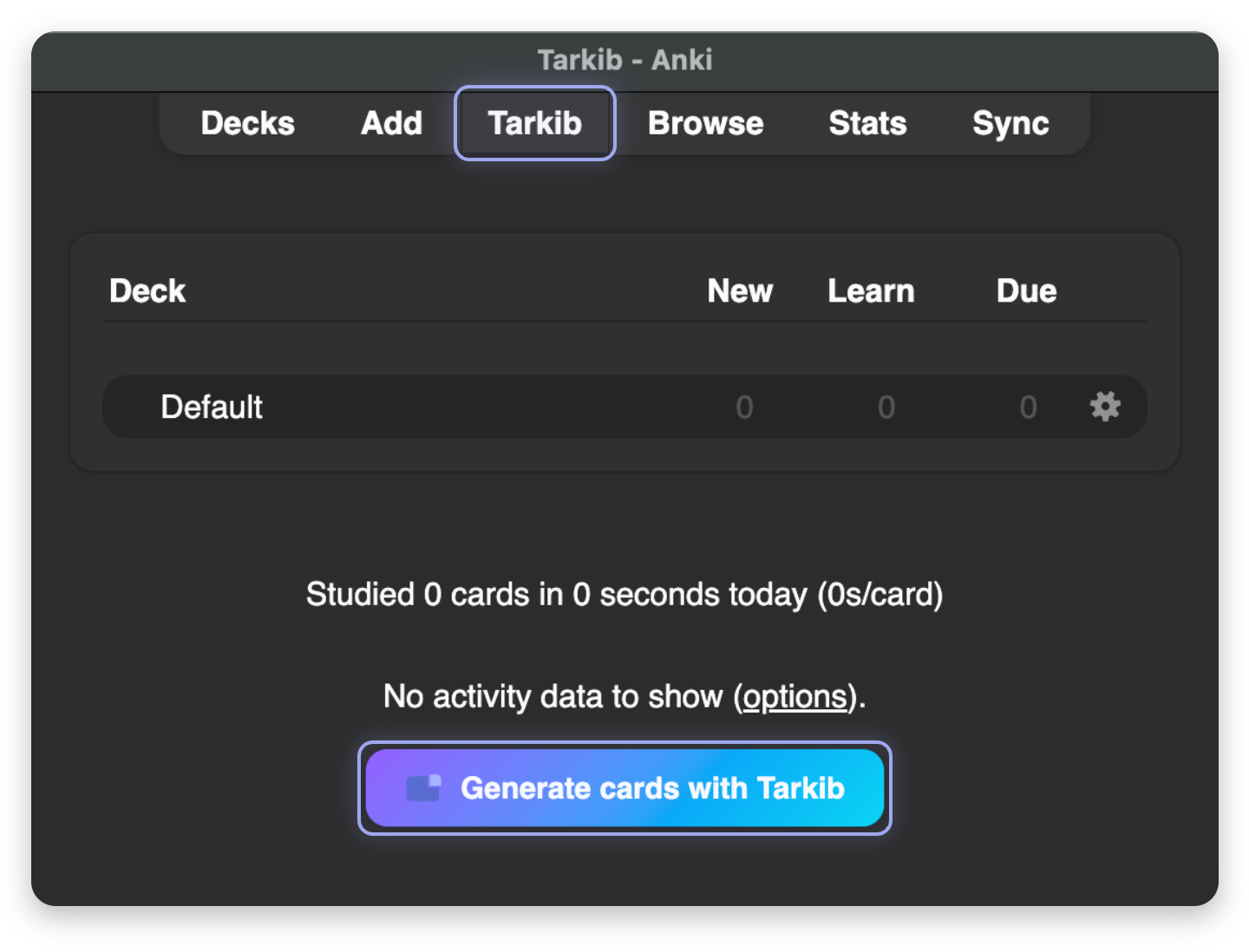
Click Tarkib in the top bar, or Generate cards with Tarkib under your decks.
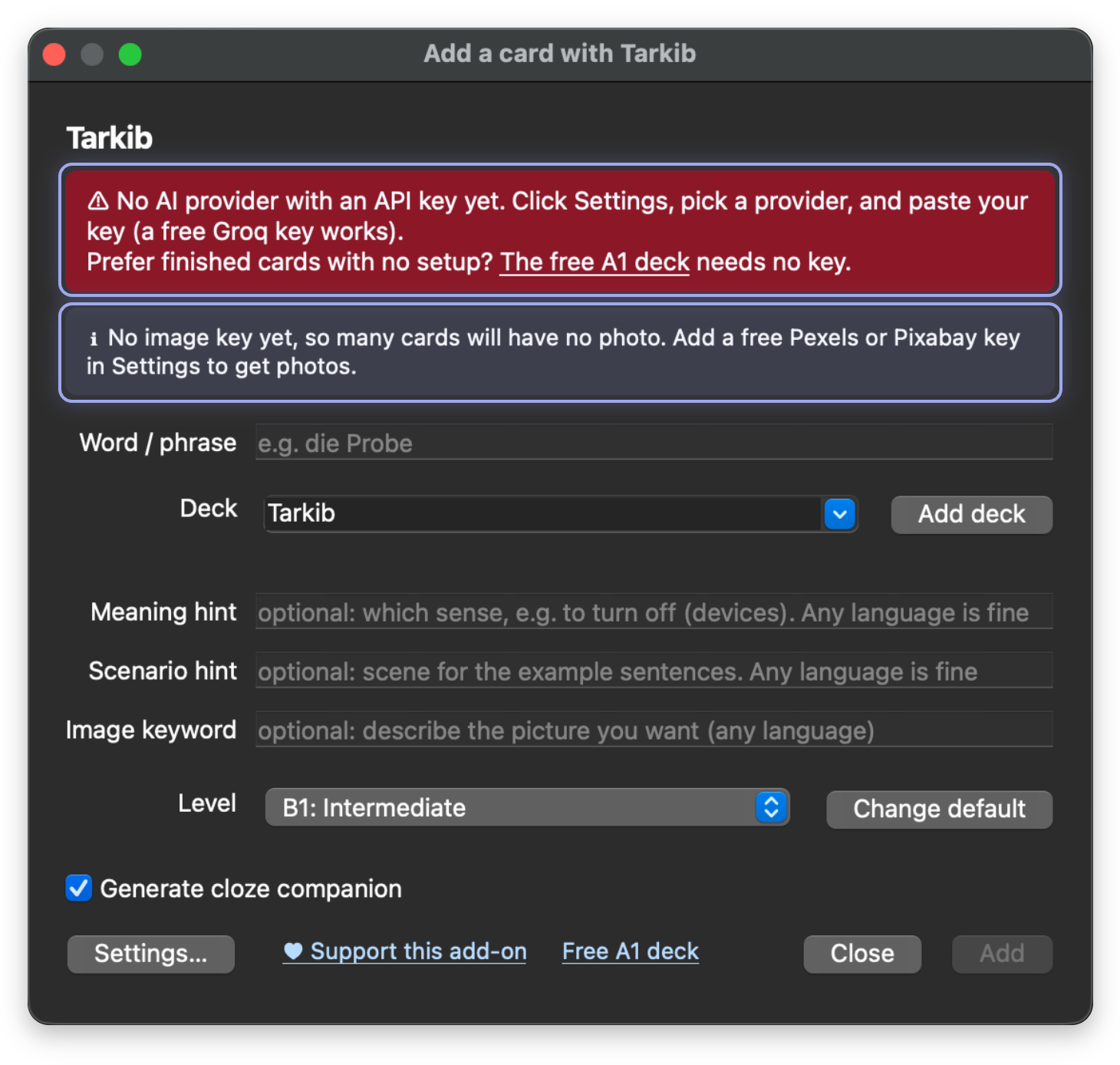
The first time, Tarkib asks for a free AI key.
Add stays greyed out until you save an AI key. The red note asks for it, the grey note for a photo key, and both are free. The next steps get them.
The AI key: Groq, free and without a credit card
Get a free Groq key at console.groq.com/keys.
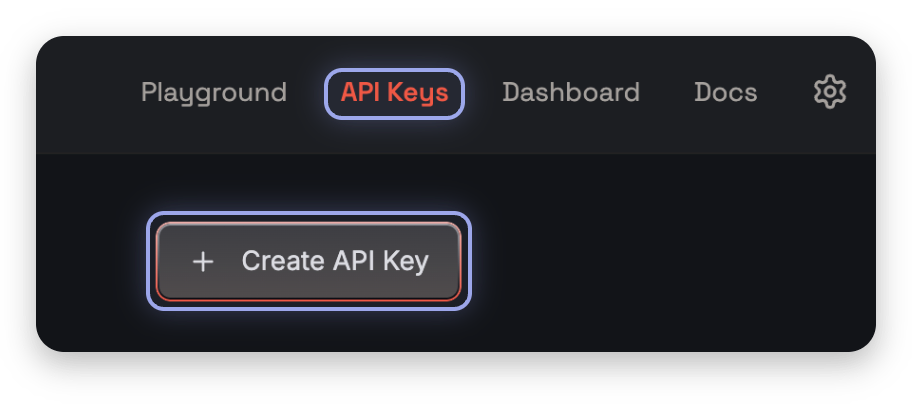
Sign in with Google, GitHub or email, open API Keys and click Create API Key.
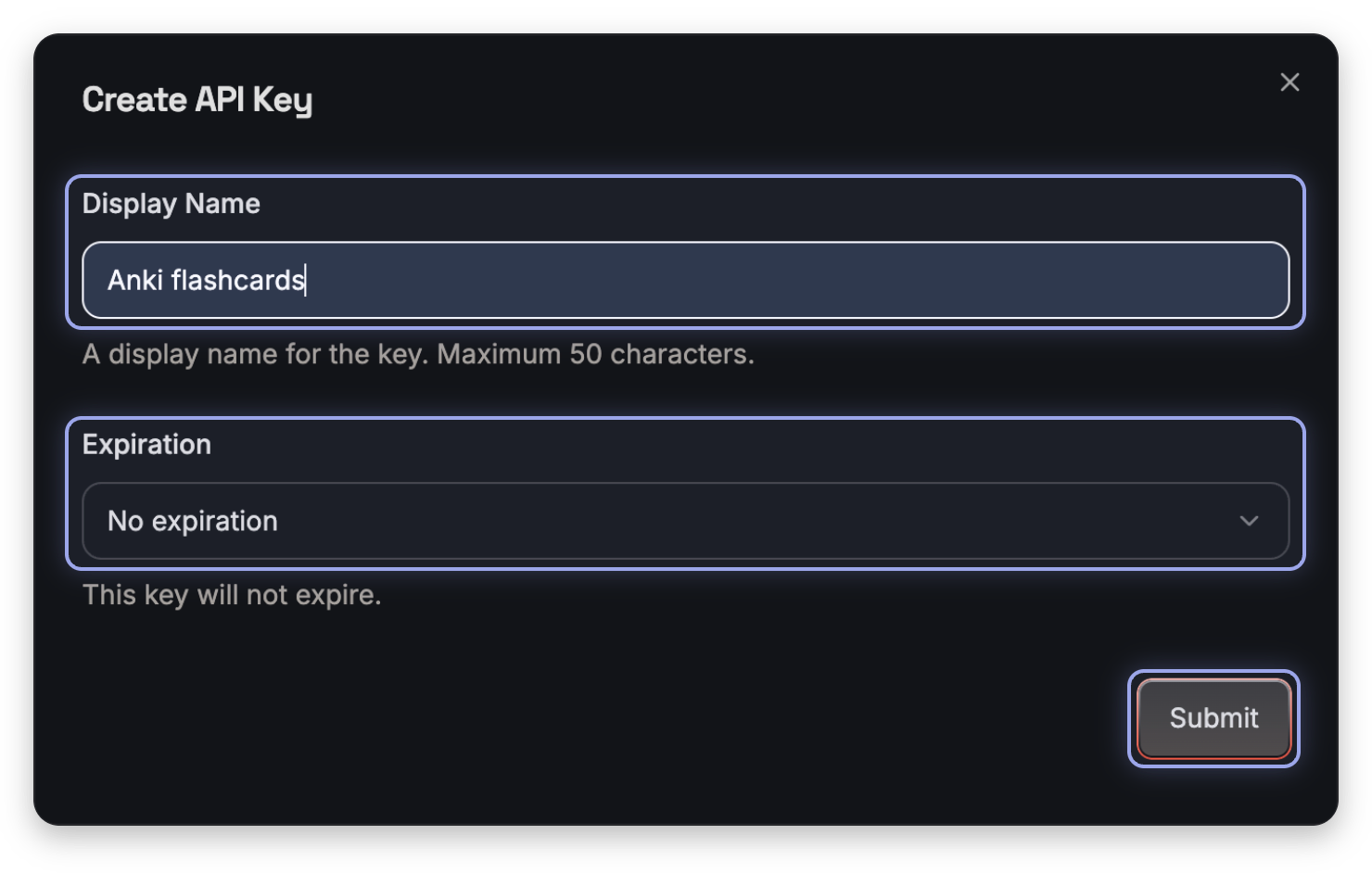
Name the key, keep No expiration and click Submit.
Any name works, for example Anki flashcards. With No expiration you never need a new key. If a human check appears, finish it first.
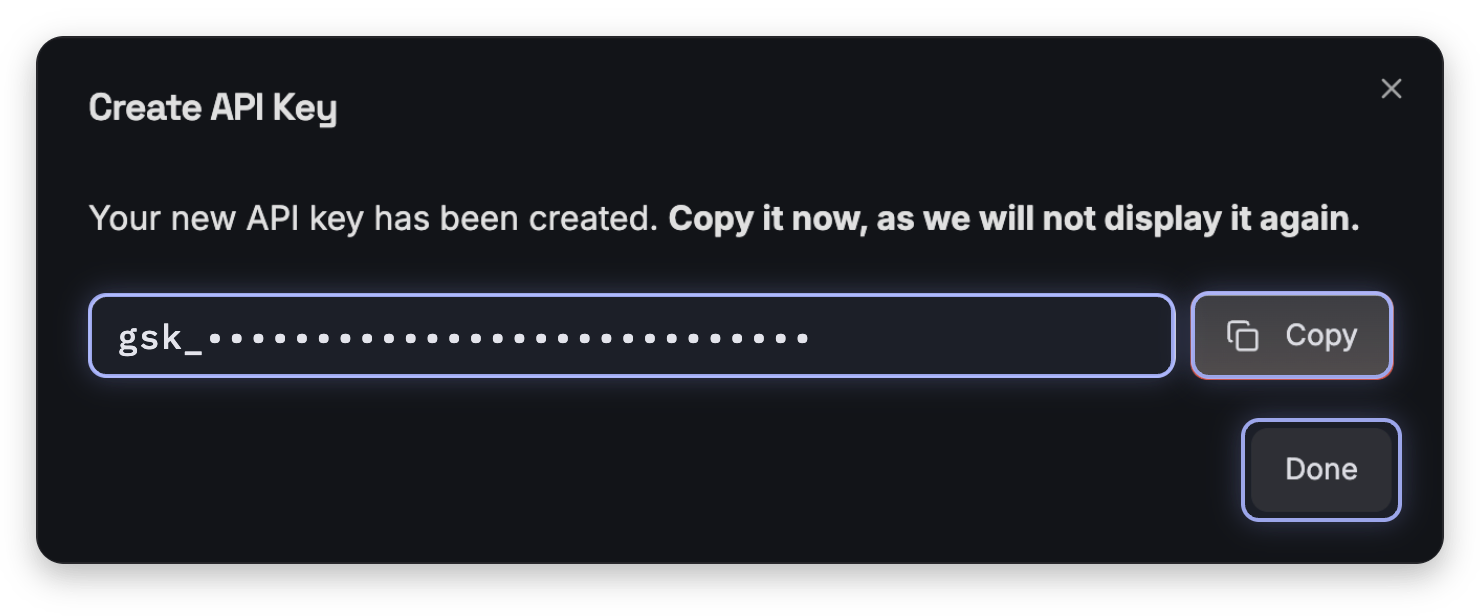
Copy the key now. Groq shows it only once.
The key starts with gsk_. Keep it private, like a password. Click Done only once the key is in Anki. If you lose it, make a new one.
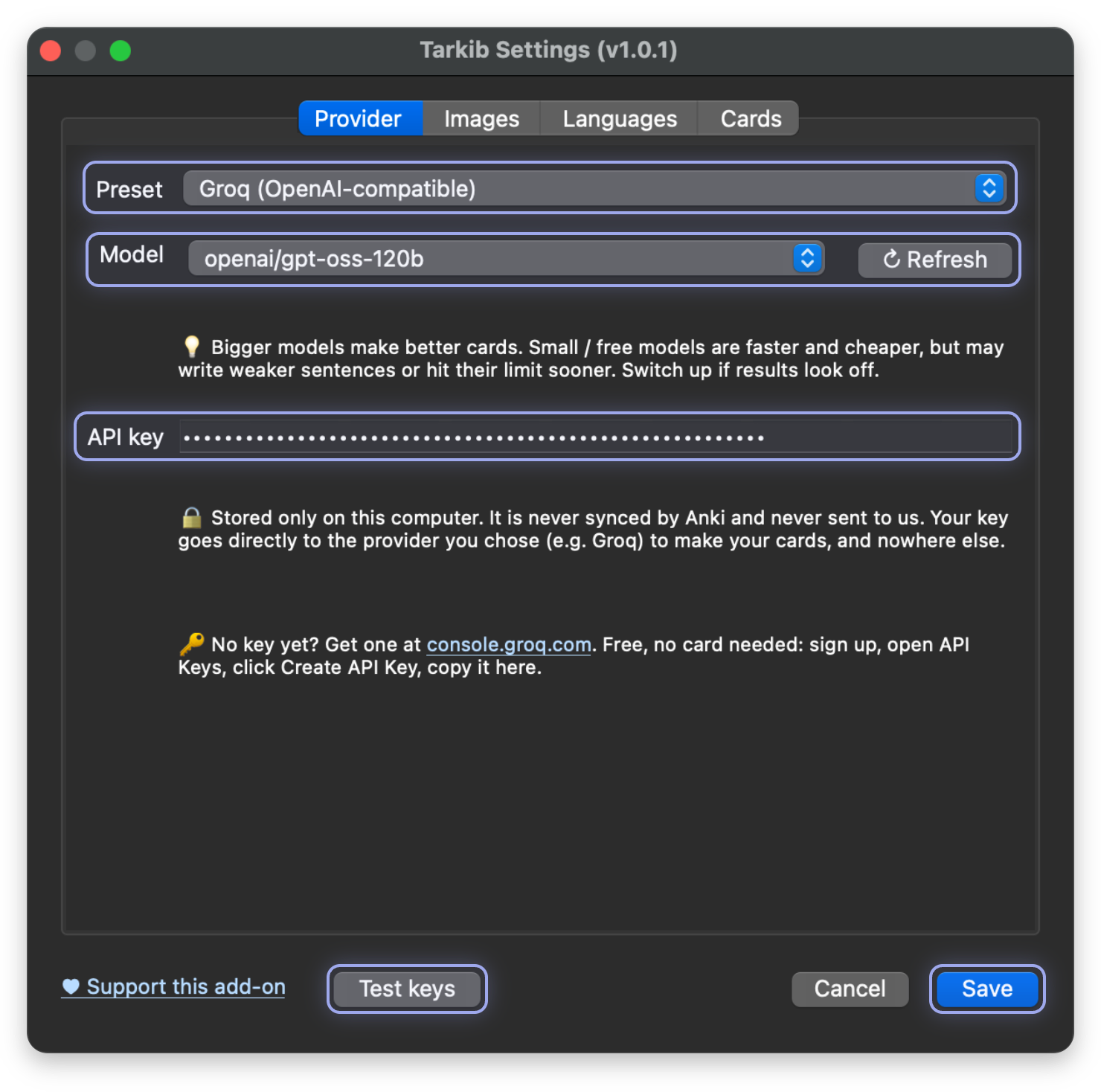
In Tarkib, open Settings and paste the Groq key.
Leave Preset on Groq and Model on the default. Paste the key into API key, click Test keys, then Save. If Settings stays open while it loads the models and voices, click Save once more.
Photos: Pexels, free and recommended
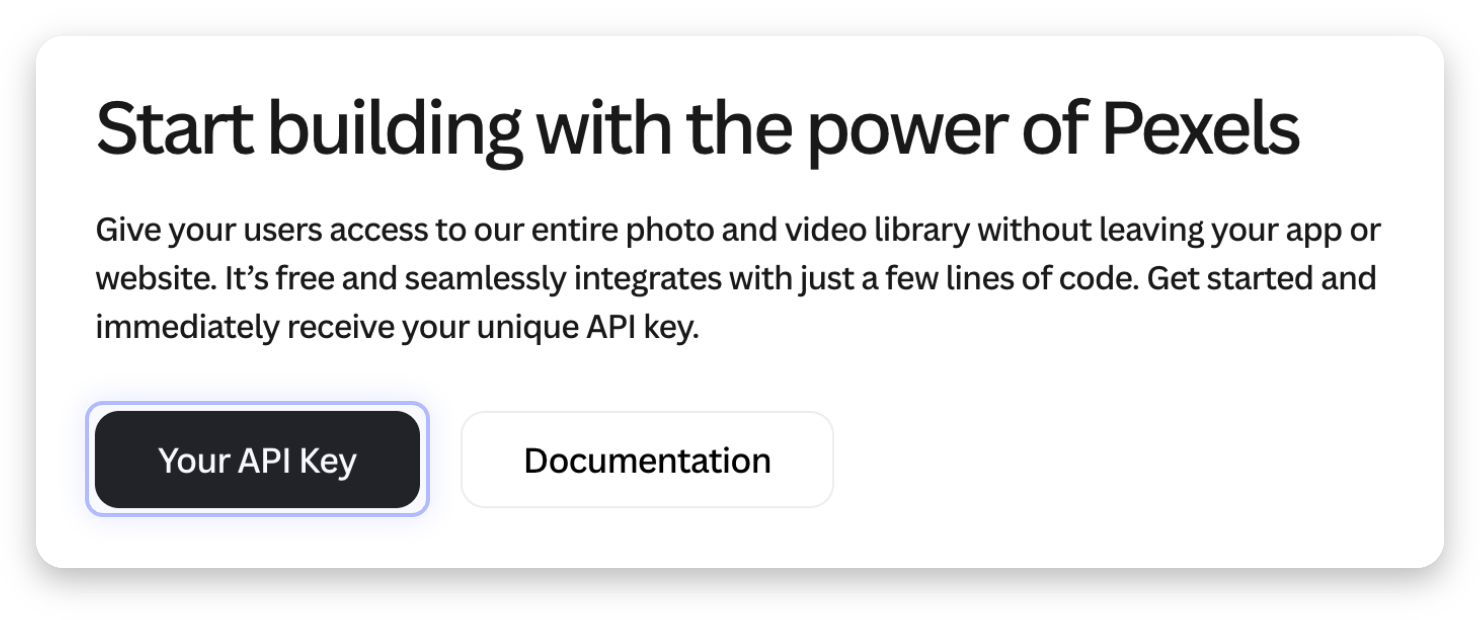
For photos, get a free Pexels key at pexels.com/api.
Click Get Started (it says Your API Key once you are logged in), join or log in for free, fill in the short form, accept the terms and click Generate API Key. Then copy the key.
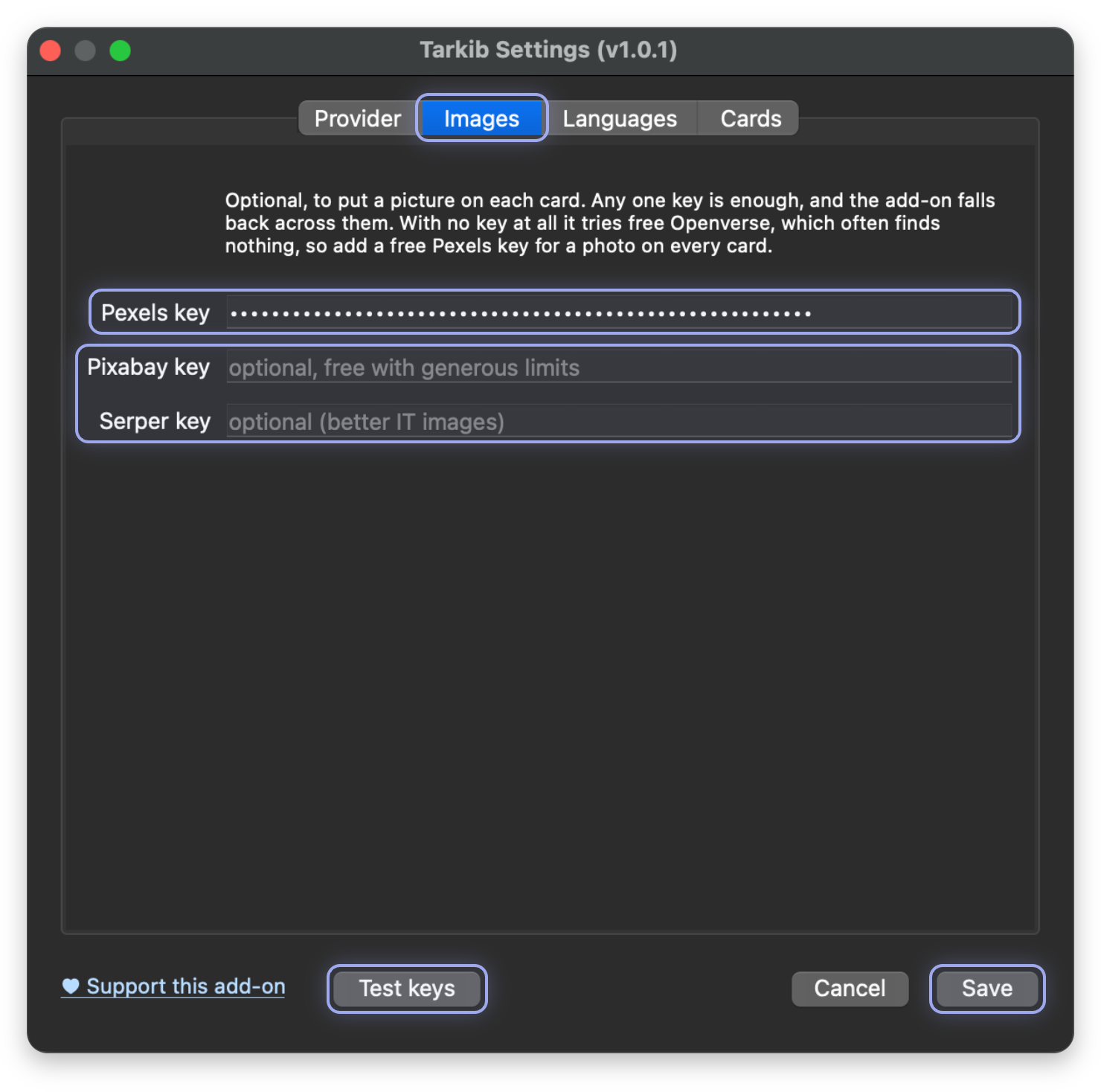
Paste the Pexels key under Images, then Save.
Click Settings in the Tarkib window again, open the Images tab and paste the key into Pexels key. Pixabay and Serper can stay empty. Click Test keys, then Save.
That is all the setup you need. How it works explains every setting.
Your first card
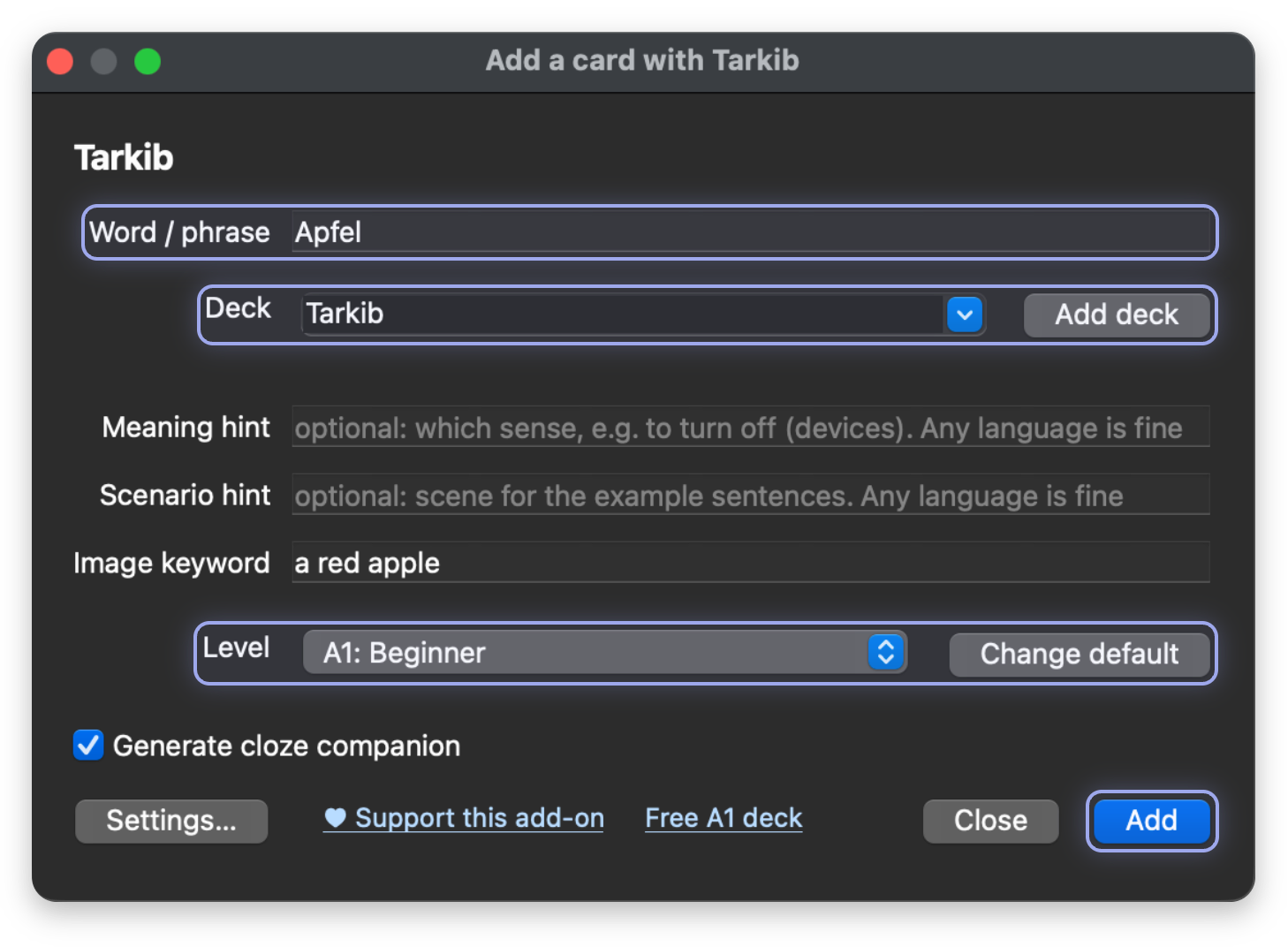
Type one German word. Tarkib makes the whole card.
For example Apfel. Pick a deck and a level and click Add, and about 15 to 20 seconds later the card is in your deck. The other fields are optional.
Study your new card.
Click the deck, then Study Now. Here is the card Tarkib made from Apfel, and its typing card waits in the Cloze deck inside yours. AI wrote it, so look it over and edit it like any other note.
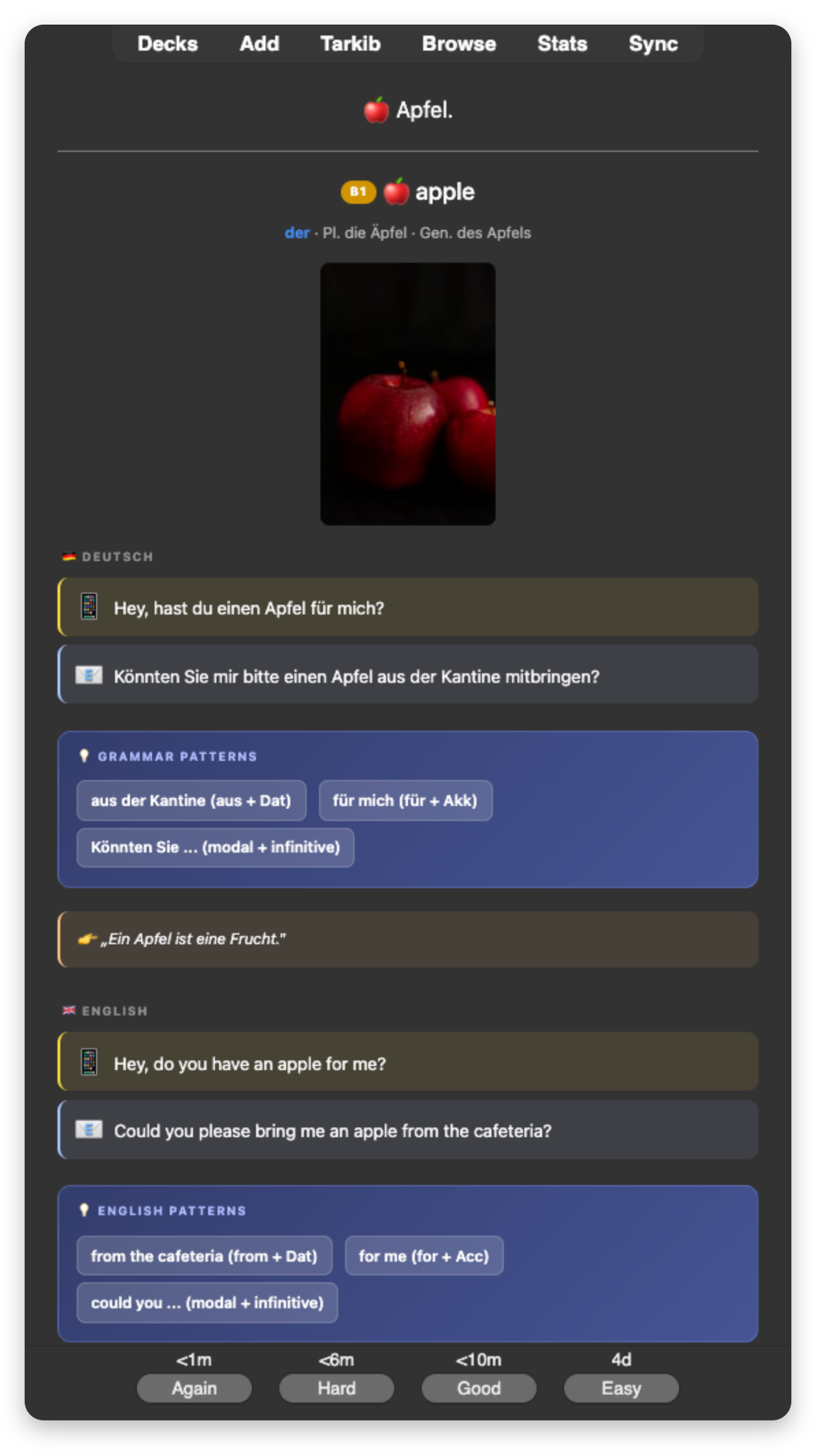
That is your first card. How it works explains every field of the window, every part of a card and every setting.
Install Tarkib from GitHub
If you cannot use AnkiWeb, you can install the add-on by hand from GitHub instead.
On the GitHub page, click Code, then Download ZIP. Unzip it, rename the folder inside to tarkib and put it into Anki's addons21 folder, listed below. Then close Anki and open it again.
- macOS:
~/Library/Application Support/Anki2/addons21/ - Linux:
~/.local/share/Anki2/addons21/ - Windows:
%APPDATA%\Anki2\addons21\
Then open Tarkib as shown in Opening Tarkib.